
Nolann59860 Scripting - Debug Menu Special
Script compatible: RPG Maker XP
Version: 1.00
Made by: Nolann59860
This script replaces the default RPG Maker XP debug menu (Variables and Switches)
with my custom scene_debug.
Options:
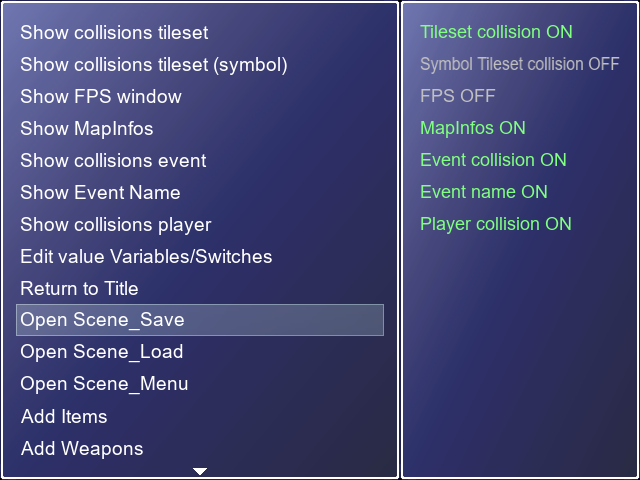
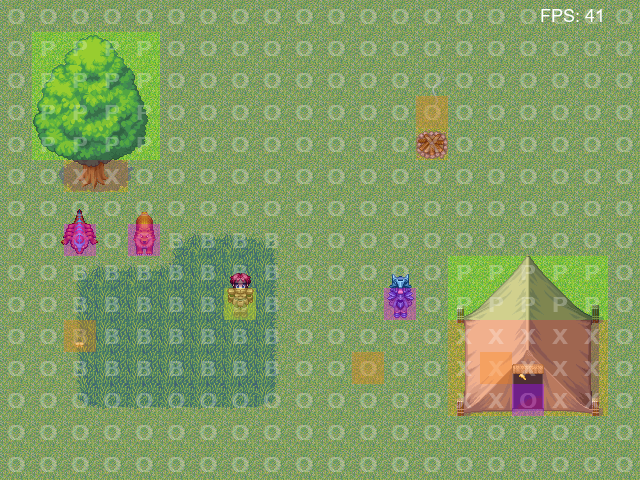
* Show Tileset Collisions = Displays the collisions of the current tileset (Red = Impassable, Blue = Passable, Green = Priority)
* Show Tileset Collisions Symbol = Displays the collisions of the current tileset (X = Impassable, O = Passable, P = Priority, B = Bush)
* Show FPS = Displays the FPS instead of pressing F2
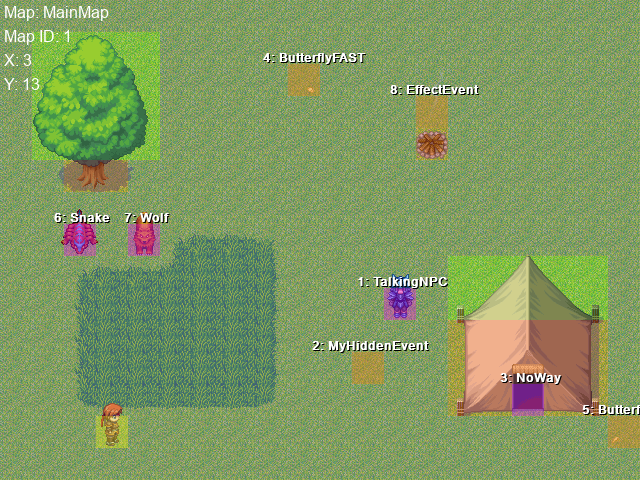
* Show MapInfo = Displays the player's name, ID, and position on the current map
* Show Event Collisions = Displays event collisions (Purple = Normal, Orange = through all)
* Show Event Names = Displays event id and names in current map
* Show Player Collisions = Displays player collisions (Yellow = Player)
* Edit Variable/Switch Values = Allows you to modify the Variable and Switch values (it simply opens RPG Maker XP's Scene_Debug)
* Return to Title = Returns to the Title screen instead of pressing F12 (if certain script broke that)
* Open save menu = opens the save menu
* Open load menu = opens the load menu
* Open main menu = opens the main menu
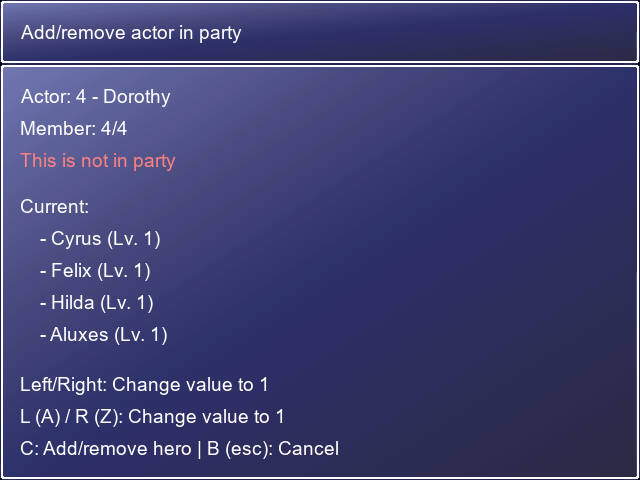
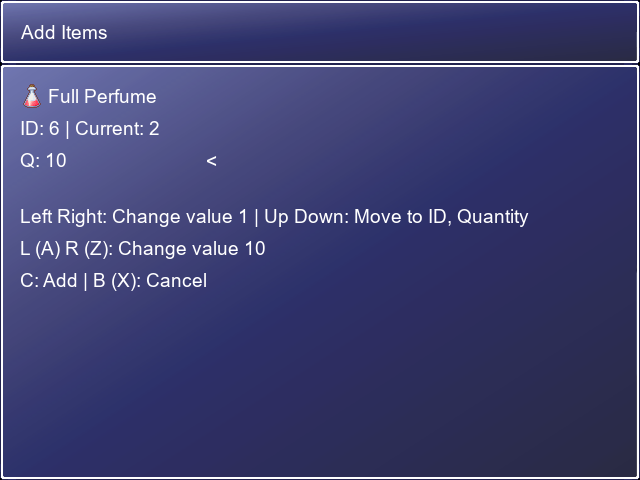
* Add items, weapons, armor, currency, level, actor = adds/removes current items/levels with new values
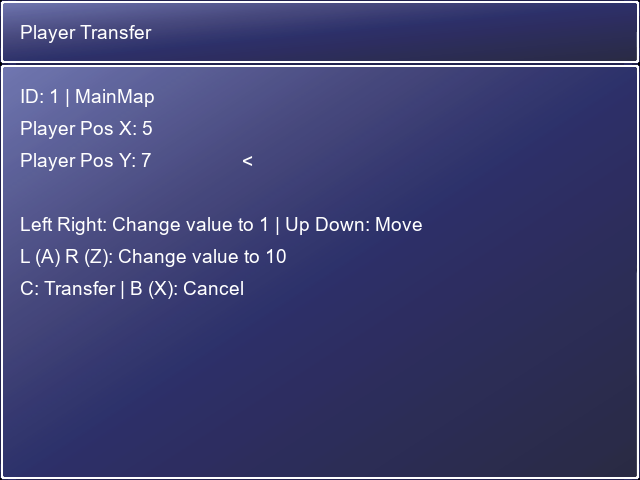
* Transfer player = teleports the player to another map
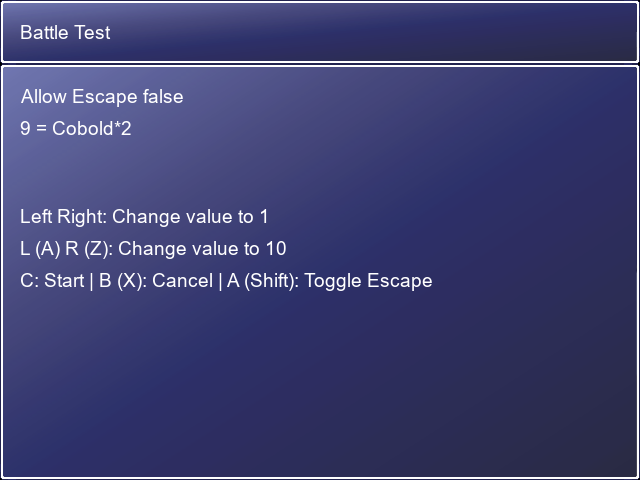
* Start Battle = allow play a test battle via the file "Troops.rxdata"
* recover all = recover all the current party's
Warning: I recommend using mkxp-z if you don't want to experience lag in Original Game.exe
how to enable:
1. go to Script Editor
2. copy the code
3. paste the code below "Main" and rename "Debug Menu N59860"
4. now save and test if you see is enable and enjoy and press F8 to open Debug Menu Special
Download
Leave a comment
Log in with itch.io to leave a comment.